

Finding one important moment in hours of CCTV footage can be harder than recording it in the first place.
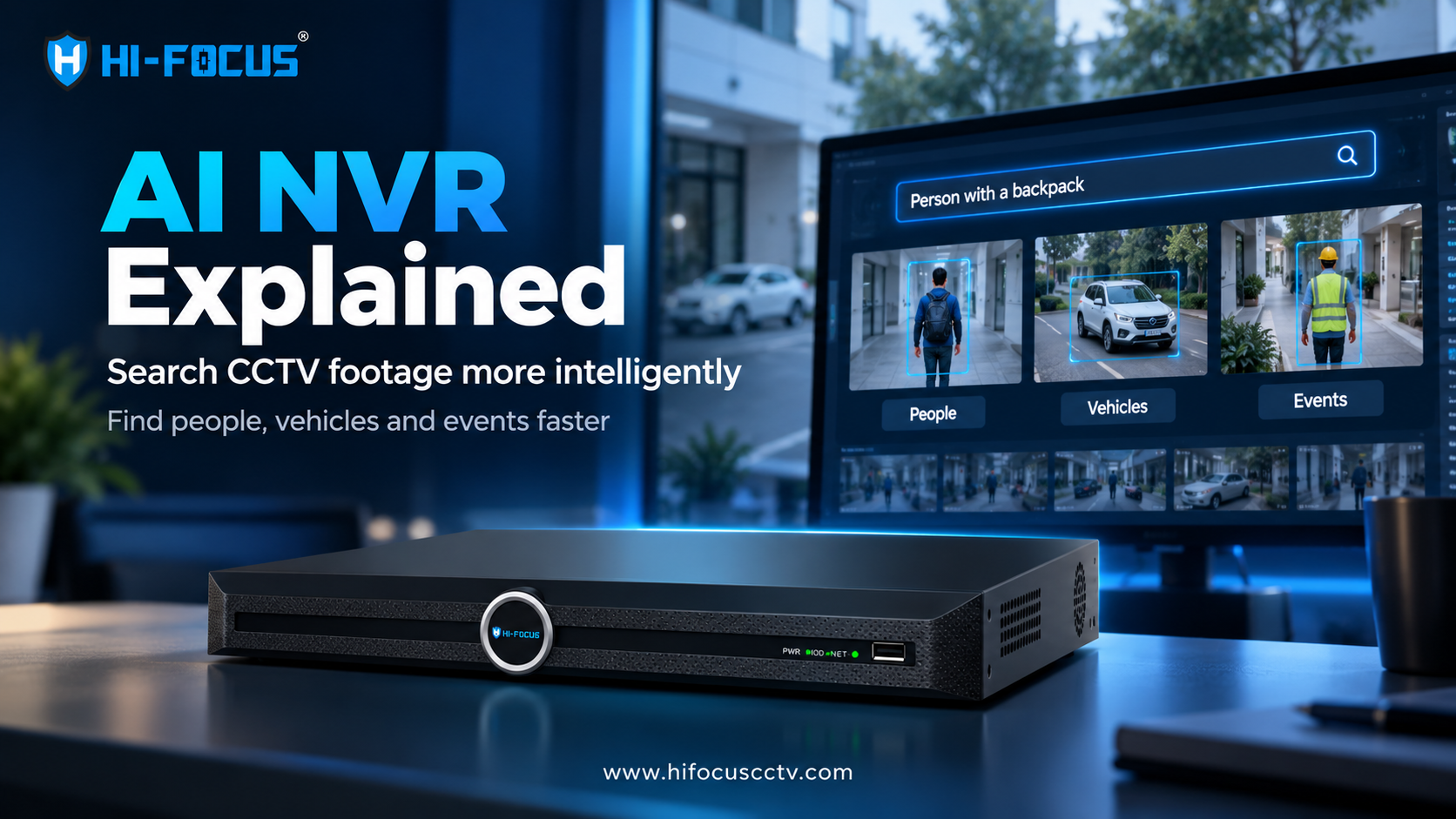
An AI NVR combines network video recording with artificial intelligence-based video analytics, allowing security teams to move beyond basic playback and search footage using people, vehicles, events, and other visual characteristics. Newer systems are taking this further with AI-powered video search, including natural-language queries that let an operator describe what they are looking for.
Key Takeaways
An AI NVR is a Network Video Recorder that combines IP-camera recording and storage with AI-based video analytics and intelligent search.
Traditional NVRs primarily organise recorded footage around channels, timelines, events and predefined search parameters.
AI NVRs can identify or classify objects such as people and vehicles and support analytics such as perimeter events, depending on the model and connected cameras.
Natural-language video search changes CCTV investigation from manually navigating timelines to describing the person, vehicle, object, or event an operator wants to find.
AI does not replace human verification. It reduces the amount of footage an investigator needs to examine before reviewing the relevant evidence.
What Is an AI NVR?
An AI NVR is a network video recorder that combines conventional video recording and storage with artificial intelligence-based video analytics.
A standard NVR records IP-camera streams and provides playback and retrieval functions. An AI NVR can add capabilities such as object classification, intelligent event detection, and AI-assisted search, depending on its hardware, software, and connected cameras.
This distinction is important because the value of an AI NVR is not limited to recording video. It is also about making recorded video easier to investigate.
How Does an AI NVR Work?
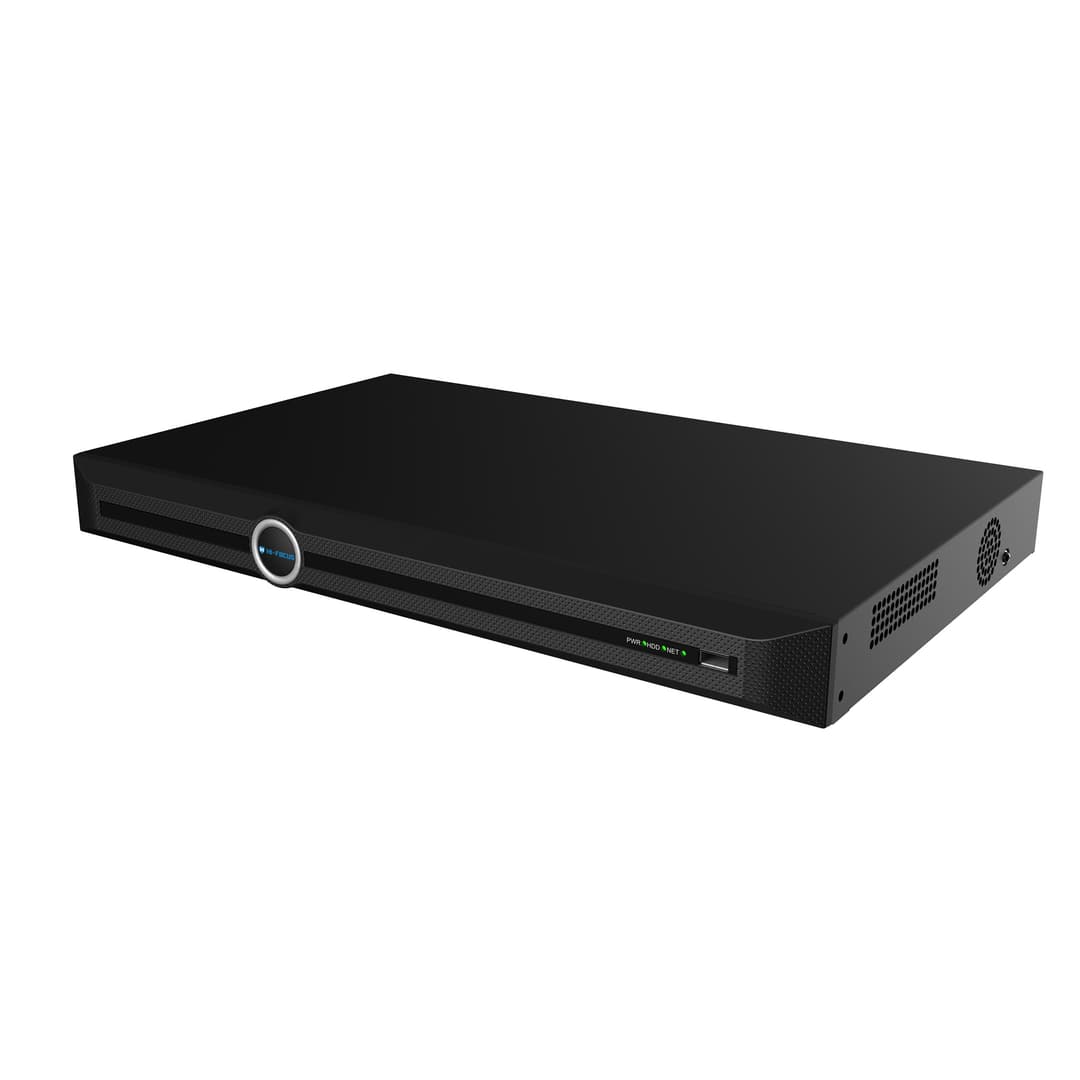
An AI NVR receives video streams from connected IP cameras, records the footage, and uses supported analytics to identify relevant information within those streams.
The AI processing may happen inside the camera, inside the NVR, or across both devices. For example, an AI camera can generate analytics metadata, while an AI NVR can use that information for recording, alerts, and search.
ONVIF's Profile M specifically addresses metadata and events for analytics applications, including generic object classification and metadata relating to vehicles, license plates, human faces and human bodies. ONVIF Profile G, meanwhile, covers recording, search, retrieval, and playback functions for IP video systems.
This separation is useful when evaluating an AI CCTV system because "AI camera" and "AI NVR" do not necessarily mean the same thing.
What Is the Difference Between a Traditional NVR and an AI NVR?
The main difference is that a traditional NVR focuses primarily on recording, storage, and retrieval, while an AI NVR can use video intelligence to make the recorded footage easier to analyse.
Feature | Traditional NVR | AI NVR |
IP video recording | Yes | Yes |
Video storage | Yes | Yes |
Timeline playback | Yes | Yes |
Event-based search | Model dependent | Yes, with supported analytics |
Human/vehicle classification | Usually limited or unavailable | Supported on AI-capable models |
Intelligent video analytics | Limited/model dependent | Core capability on AI models |
Object-based search | Limited | Supported on compatible systems |
Natural-language search | Generally unavailable | Available on selected AI platforms |
Best suited for | Recording and conventional playback | Recording plus intelligent investigation |
If you want to know more about the difference between AI NVR AND TRADITIONAL NVR, then you must check out this detailed comparison.
Why Is AI Search Important for CCTV Investigation?
AI search matters because investigators often know what they are looking for without knowing exactly when or where it happened.
Imagine a warehouse with dozens of cameras. A security manager knows that a person wearing a yellow safety jacket entered a restricted area sometime during four hours. With conventional playback, the operator may need to identify likely cameras, estimate a time range, and manually review the footage.
With AI-powered search, the investigation can begin with the visual description itself, provided the system supports that type of query.
This creates a fundamental workflow change:
Traditional investigation:
Camera → Time → Timeline → Playback → Review
AI-assisted investigation:
Description → Search → Matching footage → Verification
The AI does not determine whether an incident actually occurred. It helps reduce the amount of footage that needs to be reviewed.
What Is Natural-Language Video Search?
Natural-language video search allows an operator to describe the footage they want using ordinary language instead of relying entirely on fixed filters.
For example, a search could describe:
"Person wearing a yellow safety jacket carrying a red backpack."
Or:
"White car near the main entrance."
The system can then analyse the query against available video information and return potentially relevant results, depending on the AI search technology and supported camera configuration.
This is different from a conventional filter such as "Person" or "Vehicle." The operator can describe several visual characteristics together rather than translating the investigation into a series of predefined menu selections.
How Does AI NVR Search Reduce Investigation Work?
The biggest practical benefit of AI search is reducing the search space.
Consider a 40-camera facility where each camera records continuously for eight hours.
40 cameras × 8 hours = 320 camera-hours of footage.
That does not mean an investigator would necessarily watch all 320 hours. They would normally narrow the investigation using camera location, time, events, and other clues. But when those clues are incomplete, intelligent search can provide another way to locate candidate footage.
This leads to a useful insight for security planners: the value of AI search is influenced more by investigation complexity than by camera count alone.
A small office with four cameras and a known incident time may have little need for advanced search. A factory, warehouse, campus, or retail chain with many cameras and uncertain incident details has a much stronger use case.
Can an AI NVR Search Old CCTV Footage?
Some AI NVR platforms can analyse previously recorded footage, but the exact capability depends on the AI architecture and product.
HiFocus's IntelliSeek documentation states that its AI search operates inside the AI NVR and can search footage recorded before IntelliSeek was configured because the analysis occurs at search time rather than requiring the footage to have been pre-tagged during recording.
That changes an important assumption about AI surveillance. Intelligent investigation does not always mean every frame must be completely analysed and indexed before an incident occurs.
For businesses evaluating an AI NVR, it is therefore worth asking a specific question:
Can the system search my existing recorded footage, or does the AI need to analyse it before an incident happens?
What AI Features Can an AI NVR Support?
AI NVR capabilities vary by model, but common functions can include human and vehicle classification, face-related analytics, perimeter events, object detection, and intelligent search.
HiFocus's current NVR range lists AI capabilities including real-time video processing, person- and vehicle-related detection, perimeter events, and object/event-based search. The range includes NVR configurations from 8 to 160 channels, with storage capacity and other specifications varying by model.
The connected camera also matters. An NVR's AI capabilities should always be evaluated alongside the camera's resolution, analytics support, network protocol, storage requirements, and intended scene.
For example, businesses planning an IP surveillance deployment can review the HiFocus IP camera range to match camera types and capabilities with their NVR architecture.
Does an AI NVR Need AI Cameras?
Not necessarily. Some AI functions can be performed by the NVR, while others may depend on analytics generated by the connected camera.
This means buyers should not assume that connecting any IP camera to an AI NVR automatically enables every AI function. Compatibility, supported protocols, AI channel limits, and the specific analytics feature all need to be checked.
ONVIF interoperability can help different IP security products communicate, but ONVIF compliance does not mean every proprietary AI feature will work identically between brands. ONVIF itself notes that profile conformance is what establishes compatibility for the functions covered by a particular profile.
For mixed-brand installations, this makes the technical specification more important than the simple label "AI NVR."
What Should Businesses Check Before Buying an AI NVR?
Businesses should evaluate the NVR's channel capacity, AI processing capacity, supported camera types, storage architecture, analytics, and search functionality before selecting a model.
For a multi-camera deployment, also check:
Number of IP channels: Make sure the recorder supports the current camera count and planned expansion.
AI channel capacity: Some AI functions may be limited to specific channels or camera types.
Recording resolution: Confirm that the NVR supports the resolution and frame rate required by the cameras.
Storage: Calculate retention requirements based on camera count, resolution, bitrate, and recording schedule.
Search capability: Check whether the NVR supports timeline, event, object, face, vehicle, or natural-language search.
Camera compatibility: Confirm ONVIF, RTSP and manufacturer-specific feature compatibility where applicable.
AI processing location: Determine whether analytics happen in the camera, NVR, or both.
Businesses can also explore the HiFocus network video recorder range when comparing channel capacity, storage options, and AI-enabled recording platforms.
Where Are AI NVRs Useful?
AI NVRs are particularly useful where CCTV footage is used for investigation rather than simply continuous monitoring.
In warehouses, AI search can help investigate people or vehicles around loading zones. In manufacturing plants, it can support searches involving restricted areas, worker movement, or defined safety events. Retail environments can use intelligent video analytics for people and vehicle-related investigations.
HiFocus also provides CCTV solutions covering applications such as vehicle detection, violation detection, access control, visitor management, dock management, and industrial security.
The right AI NVR therefore depends on the operational problem being solved, not simply the number of cameras installed.
HiFocus and AI-Powered NVR Technology
As the most trusted CCTV brand, HiFocus provides IP cameras, network video recorders and AI-enabled surveillance solutions for business, institutional and industrial applications in India. Its current NVR portfolio includes configurations from 8 to 160 channels, with selected models supporting AI analytics and intelligent search.
HiFocus's IntelliSeek technology takes AI video investigation further by allowing operators to use natural-language descriptions to search recorded footage. The technology is built into the HiFocus AI NVR line, including the HD-NVR-7240ILM, with the published capability covering HiFocus AI cameras and specified third-party ONVIF/RTSP camera configurations.
For organisations considering an AI NVR, this provides a practical reference point: evaluate the recorder, cameras, analytics and search capability as one system rather than treating the NVR as an isolated recording device.
Conclusion
An AI NVR is more than a network recorder with the word "AI" added to its specification sheet.
Its practical value comes from combining recording and storage with video analytics that can help security teams identify, filter, and search recorded footage. Natural-language search takes this further by allowing investigators to describe what they remember rather than relying exclusively on timelines and predefined filters.
For businesses with complex CCTV environments, the important question is no longer only "How much footage can the NVR store?"
It is also:
"How quickly can my security team find the footage that matters?"
That is where AI-powered NVR technology can change CCTV from a passive recording system into a more searchable investigation platform.
Frequently Asked Questions
1. What is an AI NVR?
An AI NVR is a Network Video Recorder that combines video recording and storage with artificial intelligence-based video analytics. Depending on the model, it can support functions such as human and vehicle classification, event detection, and intelligent video search.
2. How is an AI NVR different from a normal NVR?
A normal NVR primarily handles recording, storage, playback, and conventional video retrieval. An AI NVR adds AI-based analysis that can help identify objects, events, or other characteristics within compatible video streams.
3. What does AI do in an NVR?
AI can analyse video to identify or classify objects and detect predefined events. On supported systems, it can also make recorded footage searchable using visual characteristics or natural-language descriptions.
4. Can an AI NVR search CCTV footage by description?
Some AI NVRs support natural-language video search, allowing an operator to describe a person, vehicle, object, or event. The exact search capabilities depend on the NVR, AI engine, camera compatibility, and supported software.
5. Can an AI NVR search old recorded footage?
Some systems can analyse previously recorded footage during the search process. HiFocus states that IntelliSeek can search footage recorded before the feature was configured because its analysis takes place at search time.
6. Does an AI NVR require an AI camera?
Not always. Certain AI functions can be performed by the NVR, while others may depend on analytics generated by the camera. Buyers should check the exact AI capabilities supported by the camera-NVR combination.
7. Can AI NVRs detect people and vehicles?
Yes, compatible AI NVR systems can support human and vehicle classification or detection. The exact functionality, accuracy, and supported number of channels depend on the specific NVR, camera, and analytics implementation.
8. Does an AI NVR reduce CCTV investigation time?
It can reduce the amount of footage an operator needs to manually review by narrowing searches to potentially relevant objects, events, or descriptions. It does not eliminate human verification or guarantee a particular investigation-time reduction.
9. Can an AI NVR work with third-party IP cameras?
Some AI NVRs support third-party cameras through standards such as ONVIF or RTSP. However, basic video compatibility does not necessarily provide access to every proprietary AI feature, so feature-level compatibility should be confirmed before deployment.
10. Is an AI NVR useful for businesses?
An AI NVR can be particularly useful for businesses where CCTV footage is frequently investigated across multiple cameras or long recording periods. Warehouses, factories, retail sites, campuses, offices, and other large facilities can benefit when conventional timeline-based searches become difficult to manage.